Calls with translation
Send a link — the other person answers in a browser, no app and no sign-up. You speak your language, they hear theirs, with subtitles on both sides. Add contacts by QR code and call from the lock screen.
 SovaAI
Calls with translation
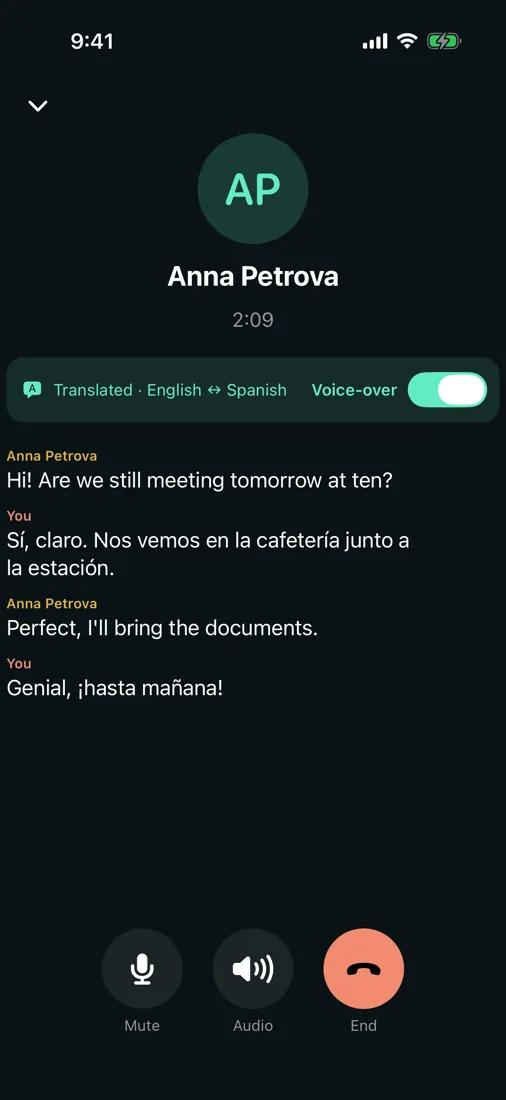
Call friends and colleagues who speak another language. SovaAI translates the conversation as it happens and shows the translation on screen.
Free to install · a starting credit to try · No subscription
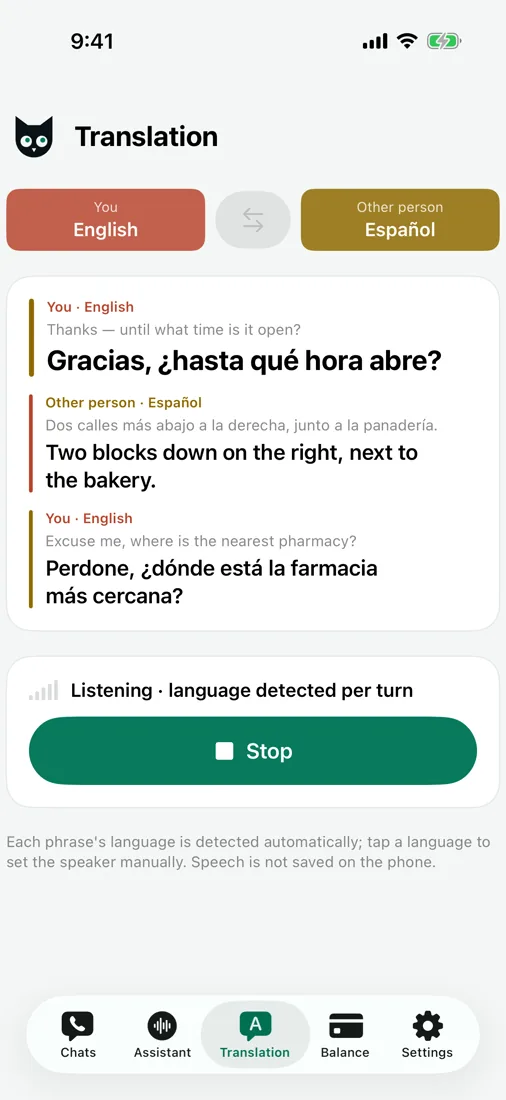
Face-to-face translator
Pick two languages and talk. SovaAI hears who is speaking and answers aloud in the other language — 21 languages.
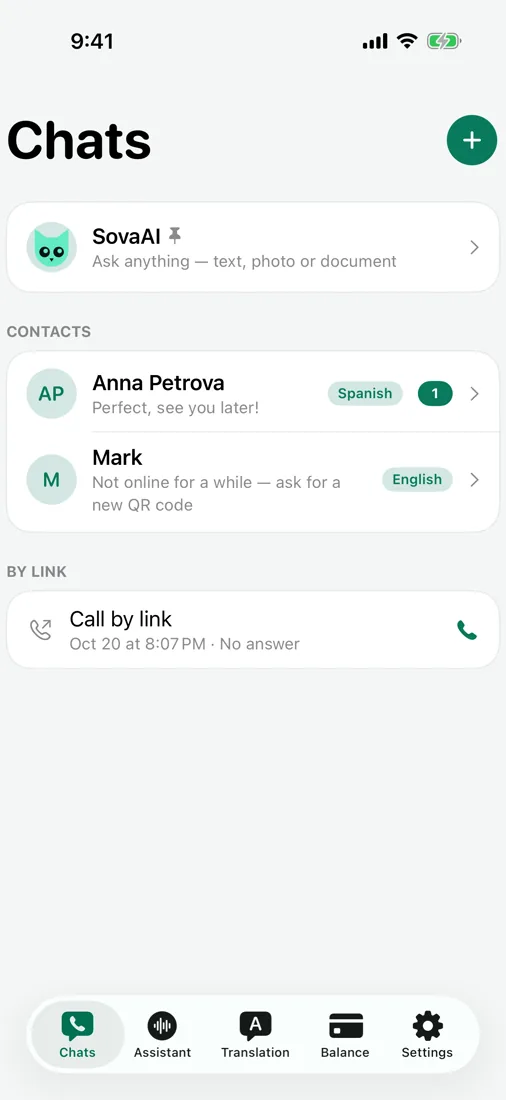
Send a link — the other person answers in a browser, no app and no sign-up. You speak your language, they hear theirs, with subtitles on both sides. Add contacts by QR code and call from the lock screen.
Write in your language and the other person reads it in theirs. Send voice messages, photos, videos and documents, and translate any message with one tap.
See each other and talk across languages — live translation and subtitles, even when the other person joins from a browser.
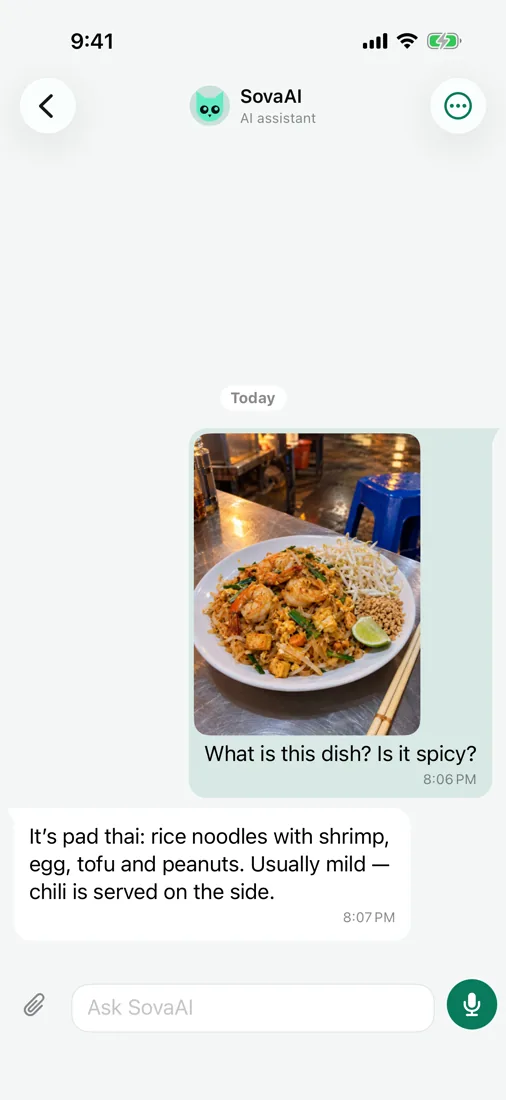
Ask questions in a chat, attach a photo or a document, or send a voice message. Get answers with sources; your history stays on your device.
Pick two languages and talk. SovaAI hears who is speaking and answers aloud in the other language — 21 languages.
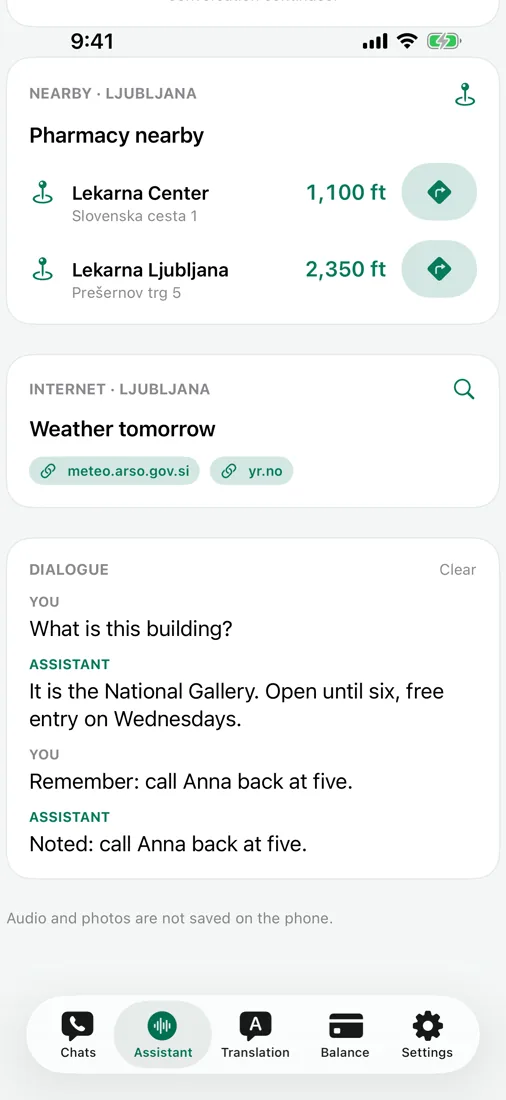
Talk through your phone, a headset or your car. Ask for places and routes, save notes, and prepare messages and calendar events.
SovaAI needs nothing else — no sign-up, no e-mail.
Call by link, write a message, or pick two languages for the translator. Put on a headset if you like.
A pause ends a phrase; a tap ends the conversation. Your words arrive translated.
Twenty-one: Arabic, Chinese (Simplified and Traditional), Croatian, Czech, Dutch, English, French, German, Greek, Hebrew, Italian, Japanese, Polish, Portuguese (Brazil), Russian, Slovenian, Spanish, Swedish, Turkish and Ukrainian. The assistant answers in the language you speak.
No. Your phone gets a starting balance once; top-ups add to it and never expire. "Delete my data" in Settings erases the device record and its balance on the server.
Audio, text and the images you choose go to SovaAI's cloud only to produce the answer or the translation. Chat history and saved attachments stay on your device. Details are in the Privacy Policy.
Yes. Send a link in any messenger — it opens in a browser on any phone or computer. SovaAI translates the call both ways; contacts added by QR code call each other from the lock screen.
With any Bluetooth headset: AirPods, a car kit or the phone's own speaker. The assistant and the translator work hands-free.
Downloading is free and the starting credit lets you try everything. After that a pack tops up your balance; current rates are on the Support page.
iPhone · iPad · Android
Free to install · a starting credit to try