Stay close
Your words.
Their language.
Make plans. Share your news. Just ask how they are. Write in your own language — SovaAI helps with the translation.
More ways to connect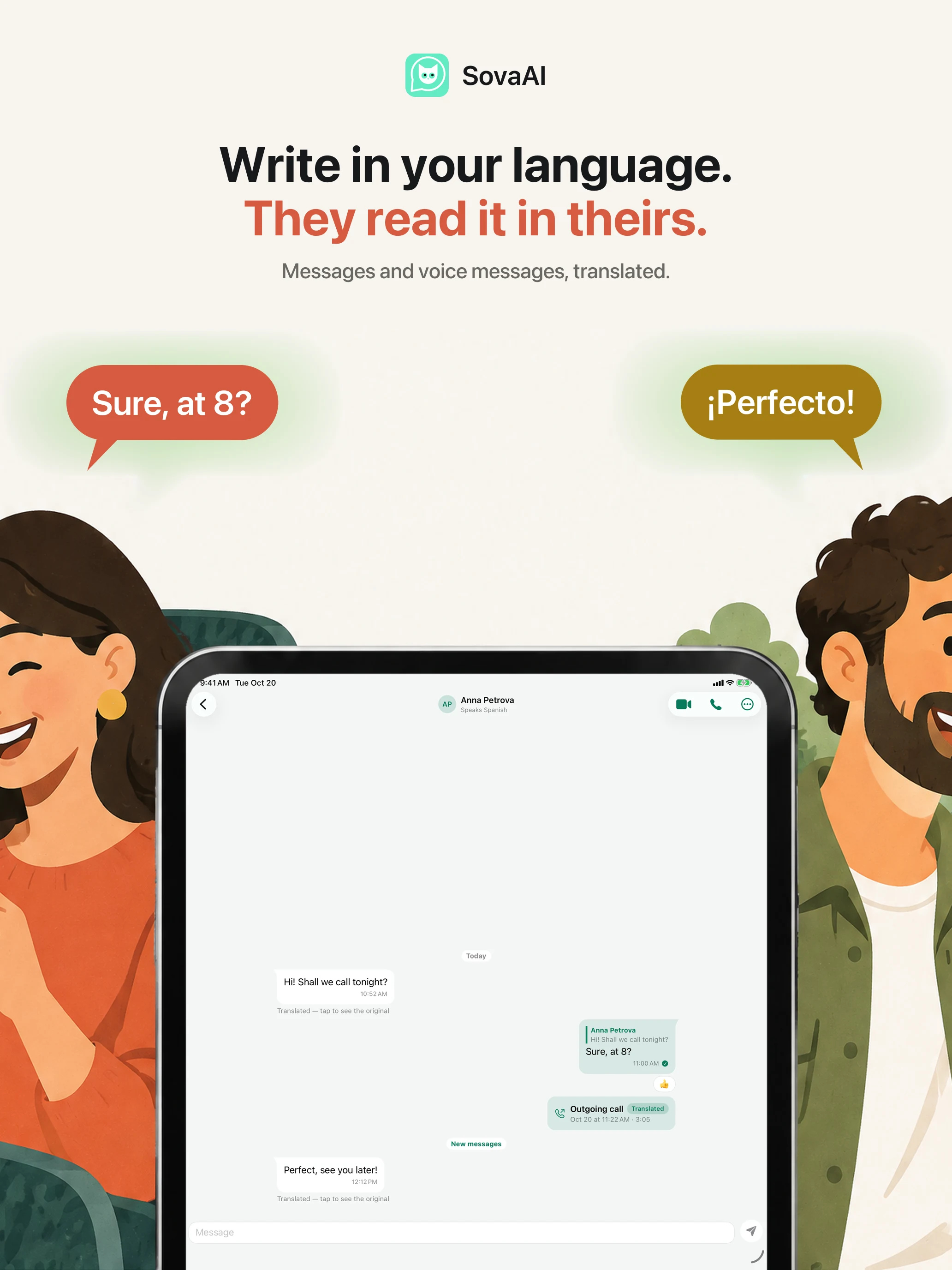
 SovaAI
SovaAI · help and connection
Ask by voice or in chat, or show a photo. Translate face-to-face conversations using one phone. Connect through calls, video and messages.
Free to install · a starting credit to try
How it works Face-to-face translator
 Ask SovaAI — even about a photo
 Chats and voice messages with translation
Life, understood
For everyday conversations. And the ones that mean a little more.
Stay close
Make plans. Share your news. Just ask how they are. Write in your own language — SovaAI helps with the translation.
More ways to connectFace-to-face translation
Choose two languages and talk to the person beside you. SovaAI speaks the translation aloud and shows the text. No second phone needed.
How the translator works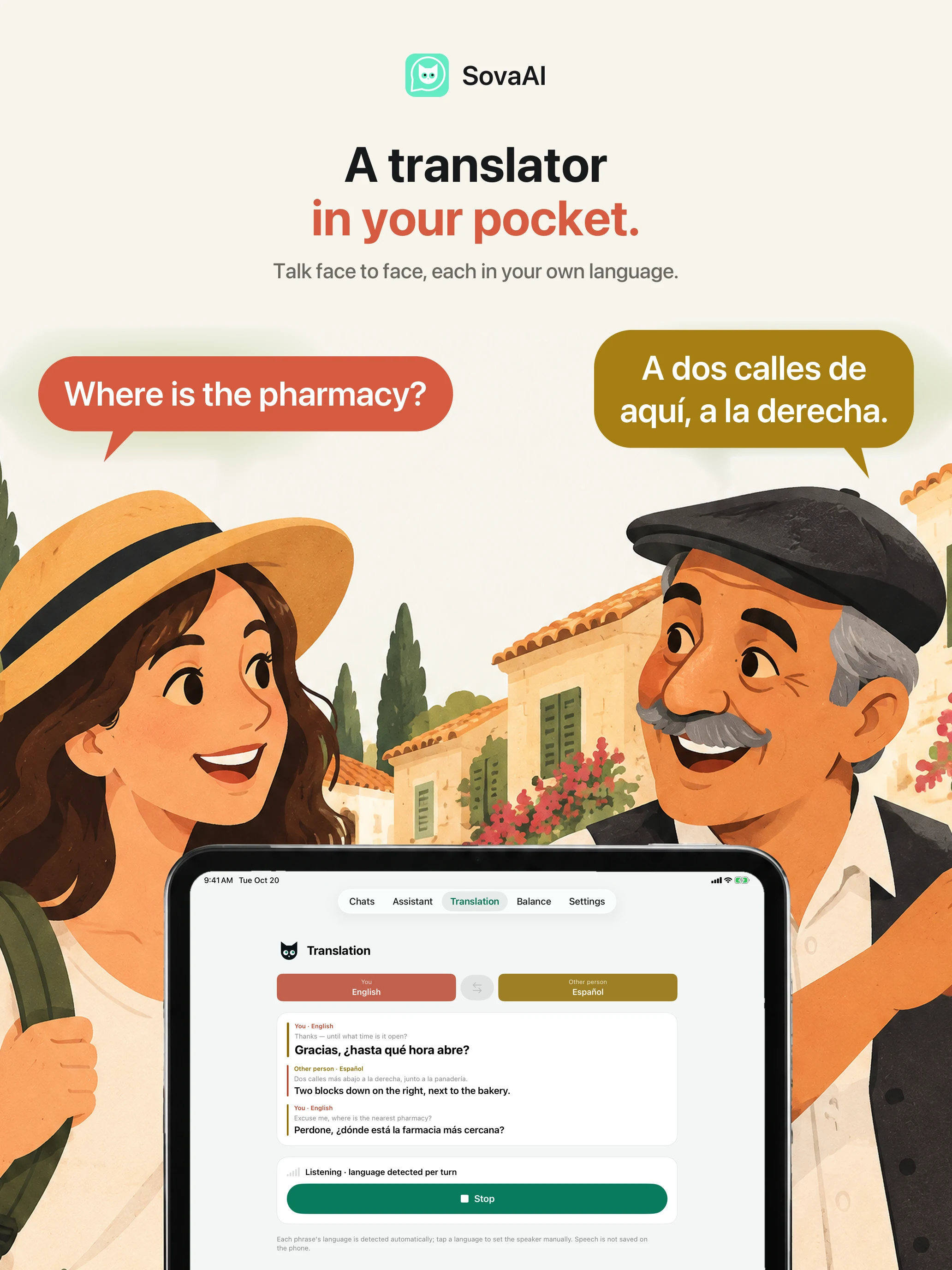
SovaAI
Ask questions in a chat, attach a photo or a document, or send a voice message. Get answers with sources; your history stays on your device.
For face-to-face conversations, choose two languages. Listen to the spoken translation and read it on screen.
Send a link — the other person answers in a browser, no app and no sign-up. You speak your language, they hear theirs, with subtitles on both sides. Add contacts by QR code and call from the lock screen.
Write in your language and the other person reads it in theirs. Send voice messages, photos, videos and documents, and translate any message with one tap.
See each other and talk across languages — live translation and subtitles, even when the other person joins from a browser.
Talk through your phone, a headset or your car. Ask for places and routes, save notes, and prepare messages and calendar events.
How it works
SovaAI needs nothing else — no sign-up, no e-mail.
Call by link, write a message, or pick two languages for the translator. Put on a headset if you like.
A pause ends a phrase; a tap ends the conversation. Your words arrive translated.
Open the translator and choose your language and the other person’s language. Talk face to face: SovaAI speaks the translation aloud and shows the text. This mode requires an internet connection.
Ask questions by voice or in chat, ask about a photo, find a place or route, or save a note. You can interrupt a spoken answer and keep talking.
Twenty-one: Arabic, Chinese (Simplified and Traditional), Croatian, Czech, Dutch, English, French, German, Greek, Hebrew, Italian, Japanese, Polish, Portuguese (Brazil), Russian, Slovenian, Spanish, Swedish, Turkish and Ukrainian. The assistant answers in the language you speak.
No. Your phone gets a starting balance once; top-ups add to it and never expire. "Delete my data" in Settings erases the device record and its balance on the server.
Audio, text and the images you choose go to SovaAI's cloud only to produce the answer or the translation. Chat history and saved attachments stay on your device. Details are in the Privacy Policy.
Yes. Send a link in any messenger — it opens in a browser on any phone or computer. SovaAI translates the call both ways; contacts added by QR code call each other from the lock screen.
With any Bluetooth headset: AirPods, a car kit or the phone's own speaker. The assistant and the translator work hands-free.
Downloading is free and the starting credit lets you try everything. After that a pack tops up your balance; current rates are on the Support page.
Free to install. Your first conversation is on us.